Unmatching Can Erase the Evidence You Meant to Save
Tinder, Bumble, and Hinge make unwanted contact easy to end. They are less consistent about what remains afterward, so document the thread before you make it disappear.
August 13, 2026 · 8 min read
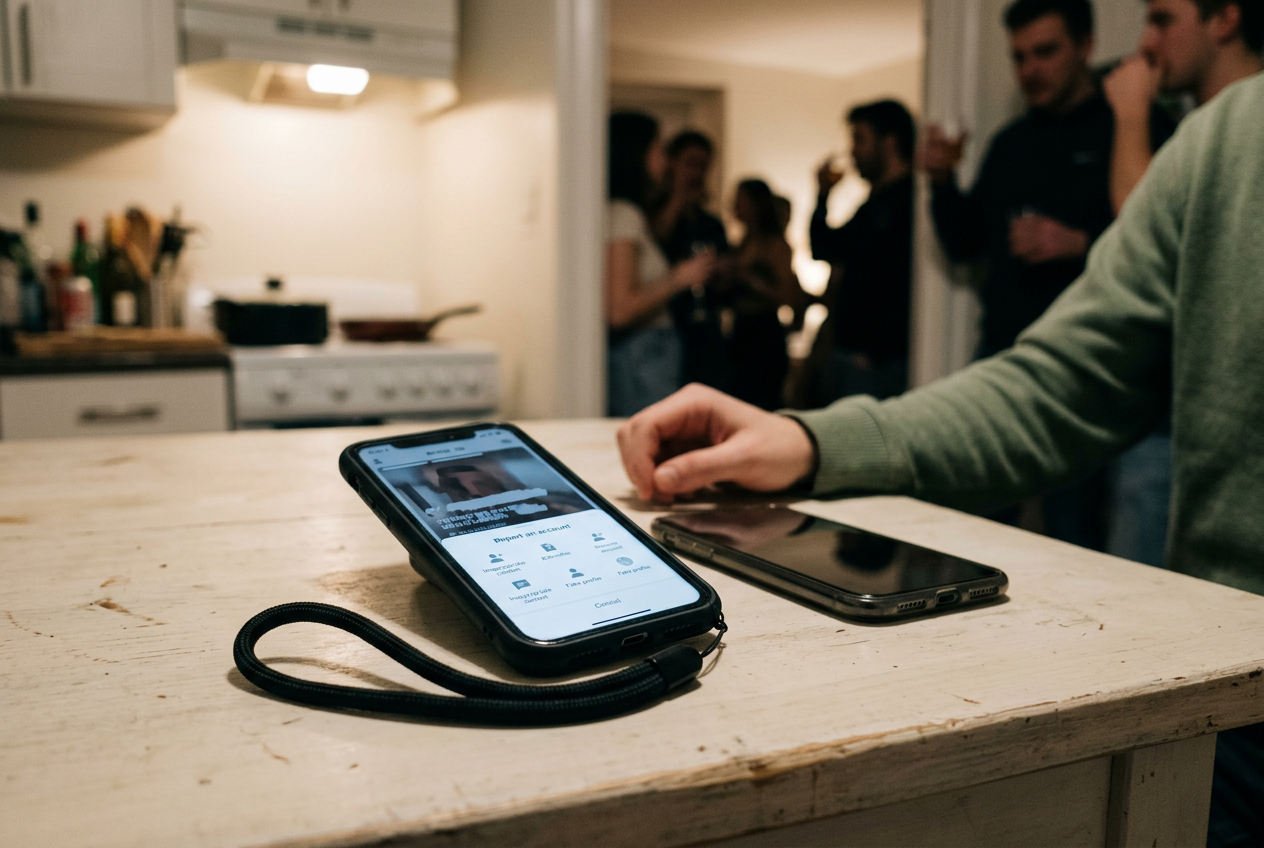
The black nylon phone lanyard mattered more than expected. I wore it snug around my right wrist while testing the unmatch and report flows on Tinder, Bumble, and Hinge with another consenting adult, using neutral messages and stopping before any false report was submitted. The alternative was holding a bare phone while navigating menus and photographing one screen with another device. That sounds trivial until your hands are shaking.
After a week, the lanyard's thin thermoplastic polyurethane insert had bowed where it sat between the phone and case. It still held. More important, it exposed the physical problem hidden inside most safety instructions: preserving evidence is fiddly work performed under pressure, often on the same device through which the pressure is arriving.
The apps are excellent at making a person disappear. Their evidence tools are less coherent.
What the unmatch button really does
A dating-app conversation is not presented as a durable document. It is a view generated from an active relationship between two accounts, and unmatching breaks that relationship. Once the app stops rendering the profile and thread, the user may have no ordinary way to reopen either, even if the company retains some information on its servers.
That distinction matters. Gone from your screen does not necessarily mean deleted from the platform's systems. It does mean gone from your control.
In the test, Tinder and Hinge removed the match and its conversation from the normal interface after an unmatch. Bumble exposed more of the ended connection on the recipient side in the tested configuration, including a route toward reporting, but that residual state should not be mistaken for an archive. App versions, account status, region, and which person ends the connection can alter what appears.
All three platforms offer ways to seek help after a match has vanished, usually through a safety center, support form, or account-data request. None made the disappeared thread available through an immediate, user-controlled evidence export. A support form can accept your description. It cannot restore the username, profile details, dates, and message sequence you failed to record.
The design serves one legitimate need. Someone receiving abuse should be able to sever contact quickly, without negotiating with a filing cabinet. Yet the same action that creates distance can remove the material needed to explain a pattern later, whether to platform moderators, a workplace, an attorney, a domestic-violence advocate, or law enforcement.
This is a product choice, not a law of software. An app could let the reporting person retain a private, read-only copy after blocking, clearly marked as inaccessible to the other account. It could package the profile, thread, timestamps, report reference, and relevant account identifier into a downloadable file. Instead, most safety architecture treats escape and documentation as competing actions, then leaves the frightened person to notice the conflict in time.
Reporting is not the same as preserving
A platform report creates a moderation ticket. Moderation means the company reviews content or conduct against its own rules and decides whether to warn, restrict, or remove an account. The ticket may connect internal records that users cannot see, including device signals, prior reports, and account history.
What the reporter receives is thinner. There may be an acknowledgment, a status message, or a notice that action was taken. Platforms limit detail partly to protect other users' privacy and partly to prevent people from learning how enforcement systems detect misconduct. The result is that a report can help the company investigate while giving you no complete copy of what you submitted.
A data-access request is different again. It asks a company for categories of personal data associated with your account. These downloads can take time, vary by service, and omit material the company does not classify as yours or no longer displays through the product. They are worth requesting when useful.
They are not an emergency backup button.
The practical order, when it is safe, is evidence first, in-app report second, unmatch or block third. Safety outranks completeness. If remaining connected creates immediate risk, end contact and deal with the missing record later. No screenshot is worth giving someone another opening.
Build a record before the thread vanishes
Start at the profile, not the worst message. Capture the person's displayed name, age, photographs, biography, verification marks, linked social handles, location or distance information, and any distinctive employment or education claim. Scroll slowly through a screen recording so the material appears in context, then take still screenshots of the details most likely to identify the account.
Record the conversation from above the first relevant exchange through the latest message. Context can establish escalation, repeated refusals, threats, impersonation, demands for money, or movement from the app to text and social media. A single cropped line may be easier to share, but it is also easier to dispute. Keep the uncropped original even if you later make a redacted copy for someone else.
Include visible dates and times wherever the app shows them. If it does not, make a separate note immediately afterward with the approximate time, app, account name, and what happened. Notes written close to an event are more useful than reconstructing the sequence from memory after several sleepless days.
Use a second device to photograph the first when possible. This captures the app, phone, and surrounding screen state in one frame, which can help if a screenshot later loses context. The black nylon lanyard earned its place here: looped around my wrist, it kept the test phone secure while the second phone recorded a continuous pass through the profile and thread.
Do not edit the originals. Cropping, highlighting, and adding captions are fine for working copies, but retain untouched files with their metadata, the information stored alongside a file such as its creation time and device details. Avoid repeatedly saving screenshots through social apps, which may compress images or strip metadata.
Back the material up somewhere the other person cannot access. That might be an account protected by a unique password and multifactor authentication, which requires a second proof of identity at login, or an encrypted drive held by someone you trust. If a partner or family member monitors your phone, use a safer device rather than creating an obvious folder or cloud alert.
Preserve outside-app contact too. Save the phone number, email address, social profile URL, payment handle, voicemail, and call log before blocking. A username can change. A profile URL or phone number may provide a more stable link between accounts, although none should be treated as proof of identity on its own.
Then report from inside the profile or conversation if that route remains available. In-app reporting gives the platform its best chance of connecting your complaint to the correct account and message thread. Write down the category selected, the time submitted, and any reference number or confirmation screen. Photograph that screen before closing it.
Only after that should you unmatch, unless waiting would expose you to more harm. On Tinder and Hinge, assume the ordinary conversation view will be gone. On Bumble, do not rely on an ended connection remaining visible merely because it did during this test. Interfaces change quietly.
Safety copy rarely makes the release notes.
A shorter checklist for a bad moment
- Get physically safer first. Leave the location, contact someone you trust, or use emergency services if there is an immediate threat. Evidence can wait when your body cannot.
- Capture identity and context. Record the full profile, profile URL or handle where available, complete conversation, visible timestamps, and any linked account. Keep one continuous screen recording plus uncropped stills.
- Save external contact details. Preserve texts, call logs, voicemails, emails, social accounts, payment requests, and location-sharing settings before blocking them elsewhere.
- Back up untouched originals. Put copies on a safer device or protected account. Keep edited or redacted versions separate so the originals remain intact.
- Report before unmatching when safe. Use the report control inside the profile or message thread, capture the confirmation, then block or unmatch.
- Request account data if needed. Treat the download as a possible supplement, not a substitute for screenshots or recordings made while the thread was visible.
This checklist is harm-reduction information, not legal advice. Rules for recordings, evidence, privacy, restraining orders, and criminal complaints differ by place. A local attorney, victim advocate, sexual-assault service, or domestic-violence organization can explain options without requiring you to confront the person again.
Do not provoke another message to improve the record. Do not arrange a meeting for identification. If material may depict sexual abuse of a child, do not download, duplicate, or forward it; report it through the platform and the appropriate child-protection reporting service.
The lanyard's bowed plastic tab was still wedged under the phone case when the test ended. The apps had made three conversations disappear with a few taps. Preserving them took two devices, deliberate sequencing, secure storage, and the knowledge that the obvious button was also a trapdoor.
Questions people ask
Can
I recover messages after unmatching on a dating app?
Usually not through the normal conversation screen. The company may retain internal records, and an account-data request or support complaint may return some information, but neither offers a reliable or immediate restoration of a vanished thread. Capture the profile and conversation before unmatching whenever doing so is safe.
Should I report or unmatch first?
Report from the profile or conversation first when you can do that without increasing the danger, because the app can connect your complaint to the correct account and messages. Save your own copy before reporting. If continued contact feels unsafe, unmatch or block immediately and use the platform's external support route later.
Are screenshots enough to document harassment?
Screenshots help, but a stronger personal record includes uncropped originals, a continuous screen recording, visible account details, dates, and copies of contact that moved to text or social media. Store the files somewhere protected. Whether any material is legally admissible depends on local rules and the circumstances.
Will a dating app data download include deleted chats?
It may include some account activity or messages, but coverage varies by app and by how the company classifies and retains the information. Downloads can also take time. Request one if useful, but do not assume it will contain the profile, full thread, or moderation record you lost after unmatching.
One update a day
Today's story, in your inbox
One story each morning — no hype, no filler, no algorithm deciding for you.