Dating Apps Can Map Your Routine Without Showing Your Address
A controlled test found that changing distance, travel mode and filters can turn a dating profile into a rough timetable. Hiding the house number is a low privacy bar.
August 21, 2026 · 8 min read
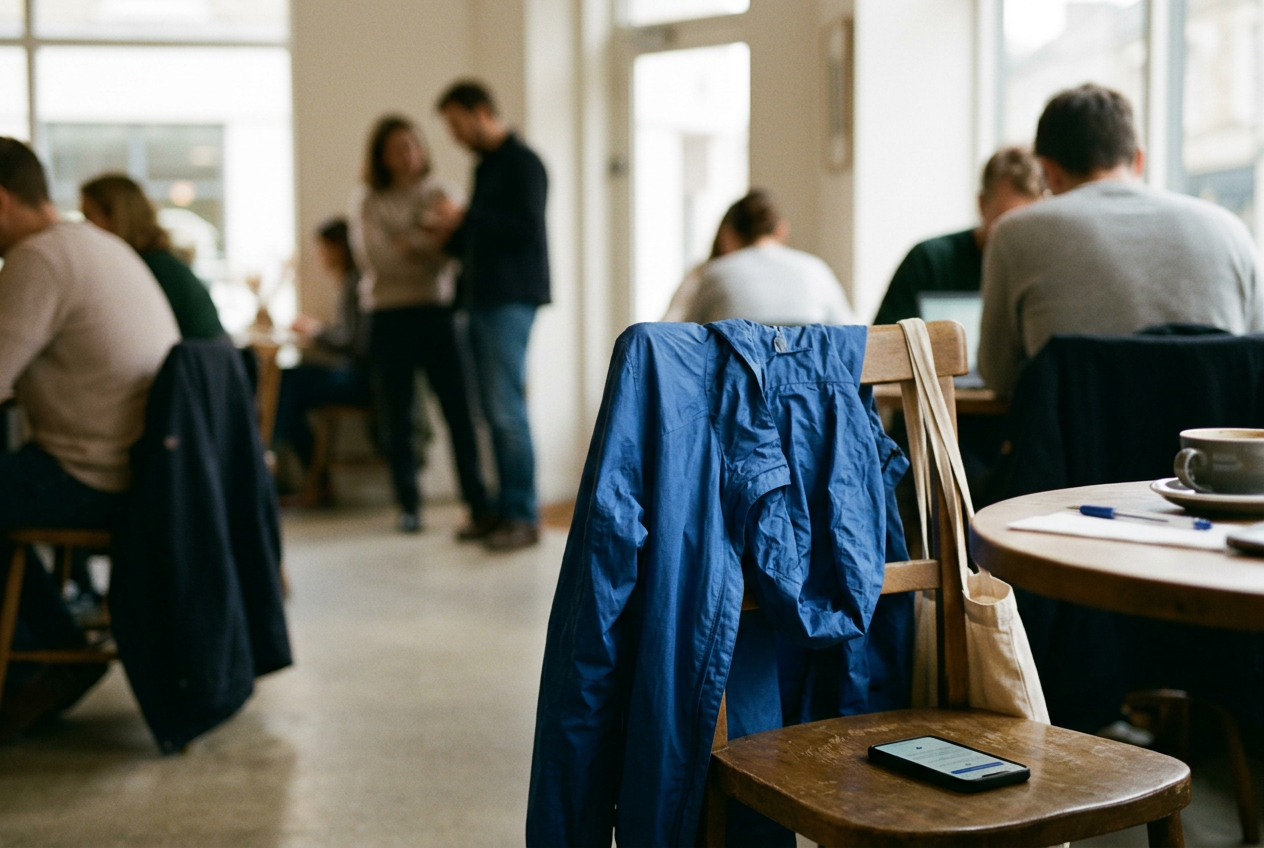
The cobalt-blue nylon rain shell was the control. I wore it zipped to the collar while moving a test profile between a coffee shop, a shared workspace and a gym, opening the dating app at each stop as a person might during an ordinary day. The profile photo showed the same shell. That visual detail was not needed to track the account, but it demonstrated how a rough location signal can become useful once it meets something visible in the street.
From a second consenting test account, the app never displayed coordinates or a street address. It did not need to. Distance changed. The moving profile entered and left a narrow discovery filter, while its position in the stack shifted after each location update.
With repeated checks across several sessions, the observer account could distinguish the morning stop from the later one and identify the general area where the profile settled.
This was a controlled evaluation using test accounts. No unsuspecting users were monitored, no one was contacted, and none of the staged stops was a private home. Interfaces and location behavior vary by app, operating system, account status and subscription tier. This is reporting, not professional safety or cybersecurity advice.
Distance is a stream, not a fact
Dating apps tend to present distance as a single, reassuringly blunt number. The number may be rounded, delayed or hidden behind a paid setting. None of that makes it harmless.
A phone’s operating system can provide an app with coordinates through location services, the software layer that estimates position using signals such as GPS, nearby Wi-Fi and cellular networks. The app then uses that location to decide which profiles belong in a discovery pool, how far away they appear and, in some products, where they rank. The viewer may receive only a rounded distance. Repeated observations turn that number into a sequence.
That sequence matters more than precision. If a profile is usually farther away before work, appears nearby around lunch and returns to the earlier range at night, the observer has learned the shape of a day. They may not know which apartment is yours. They may know which cluster of blocks deserves attention, when you tend to leave it and which commercial strip you visit often enough to count as routine.
The test profile’s blue shell kept returning to the same broad areas. From the observer account, one isolated distance reading said almost nothing. After the pattern repeated, the coffee shop and gym stopped looking like random movement. They became likely anchors.
A person with access to public profile details, social posts or a recognizable workplace could reduce the remaining uncertainty without ever defeating the app’s security.
This is the part platforms soften with interface language. Approximate is treated as private. In practice, approximation can still expose behavior when the same person is measurable over time.
Filters leak a yes or no
The distance number was only one signal. The filter did quieter work.
A distance filter can act as a membership oracle, a yes-or-no response that reveals whether a profile falls inside a chosen boundary. During the evaluation, the moving profile appeared when it qualified for the observer account’s selected range and disappeared when it did not. The observer did not need a map pin. Presence and absence supplied another measurement.
Apps may blur this behavior through delayed updates, ranking, limited daily inventory or profiles shown outside stated preferences. Those complications reduce confidence, but they do not erase the leak. An observer who already knows a person’s age range, photos or biography can recognize the same account when it returns, and repeated changes separate a persistent pattern from ordinary feed noise.
The mechanism resembles a door that only answers locked or unlocked. One check reveals little. A series of checks, made after the target opens the app in different places, begins to outline where the door is.
Neighborhood labels can add another layer. Some are supplied by users, while others reflect a selected or detected area. A label changing after a commute may confirm what the distance signal suggested. A label that stays fixed can also reveal that travel mode is active or that the app has not refreshed the phone’s current position.
None of this requires access to a platform’s internal database. The product exposes small answers because proximity is the product. Dating apps need enough location information to make nearby people feel available, and paid travel features turn location control into subscription value. The same machinery that makes the feed useful gives a persistent stranger something to measure.
Travel mode moves the clue
Travel mode sounds like a privacy feature because it lets a user choose a city or area rather than relying only on the phone’s present location. It can help someone browse before a trip or avoid broadcasting every physical movement. It can also announce intent.
In the controlled test, switching the staged profile to a selected travel area broke the link between the phone’s immediate movement and the profile’s displayed area. That reduced live tracking. It also created a conspicuous change from the profile’s usual location pattern, which could suggest an upcoming trip, a temporary stay or an attempt to meet people elsewhere. Exact behavior differs between apps, and some products disclose that travel mode is active.
There is a tradeoff. A stable, deliberately chosen area can reveal less than continuous location updates, especially if it covers a place larger than one building or block. A travel marker paired with a biography naming an event, hotel district or arrival window may reveal more. Privacy settings do not operate alone.
They interact with captions, photos, work details and the timing of activity.
The blue rain shell made that interaction obvious. The observer account already had a recognizable object, a general area and a recurring time window. Seeing the shell near one of the staged locations would have confirmed the match. The app did not disclose the wearer’s address.
It reduced the search.
A VPN does not move the phone
A virtual private network, or VPN, routes internet traffic through another server and changes the network address websites commonly see. It does not normally replace the coordinates supplied by a phone’s location services. Someone can appear to browse from another city at the network level while the dating app still receives the device’s physical position.
Location-spoofing tools attempt to replace those coordinates, but they can be unreliable, violate platform rules and create new security risks. They also encourage a false binary: either perfectly hidden or fully exposed. The more useful goal is reducing the number of repeated signals available to a stranger.
Operating-system permissions offer a cleaner limit. Allowing location only while the app is in use can stop background updates, depending on the platform and app behavior. It cannot protect a sensitive place if you open the app there. Precise-location controls may provide the app with a less exact position, although the resulting area can still be narrowed through repeated use and other clues.
Pausing discovery can help while visiting a workplace, clinic, shelter, hotel or someone else’s home. Hiding distance, where available, removes the easiest visible measurement, but profile eligibility and changing neighborhood information may remain. Logging out is not equivalent to pausing visibility on every service. The relevant control is the one that prevents other people from seeing the profile.
Treat routine as the sensitive data
Most privacy instructions focus on the home address. That misses the more common exposure. A routine links places to time: the gym after work, the bar used every Thursday, the relative’s house visited on weekends, the clinic opened from its waiting room. Each location may be public.
The relationship between them is personal.
For someone dealing with stalking, family surveillance, workplace harassment or a controlling partner, that relationship can carry immediate risk. Queer users in hostile environments and people who are not out may face consequences from being placed in a neighborhood or venue, even when no one identifies a front door. Platforms should design for those users rather than treating safety controls as premium polish.
A practical limit starts with deciding where the app should never learn a fresh location. That may mean waiting until several blocks away before opening it, pausing discovery before a regular appointment, removing workplace references and checking whether profile photos contain recognizable uniforms, windows or landmarks. These steps cost convenience and attention. Some also reduce matches.
That is the bargain platforms tend to omit.
Test the public side of your own account with a trusted, consenting person if doing so feels safe. Look at what changes after you move, whether your distance remains visible and whether pausing discovery removes the profile. Do not monitor strangers as an experiment. Delete screenshots and location notes when the test is finished.
The blue shell did not cause the exposure. It showed how little confirmation a location pattern may need. After the final session, the useful privacy move was not changing jackets. It was stopping the profile from reporting at each staged stop.
Questions people ask
Can someone find my exact address from a dating-app distance?
A single rounded distance usually does not identify an exact address. Repeated readings, observer movement and other public clues can narrow the possibilities, especially when you open the app from home on a consistent schedule. The result may remain uncertain while still being precise enough to expose a building cluster or routine.
Does hiding my distance stop location tracking?
It removes an obvious signal, which is worthwhile, but it may not remove every location clue. Your profile can still enter or leave a distance-limited pool, change neighborhood labels or appear after a location refresh. Pausing discovery and avoiding app use at sensitive places set stronger limits than hiding the number alone.
Will a VPN hide my dating-app location?
Usually not. A VPN changes the network route and visible internet address, while dating apps may receive coordinates from the phone’s location services. Review the app’s operating-system permissions instead, and remember that allowing location only during use still reports the place where you open it.
What privacy change should I make first?
Identify the places where discovery would create the highest risk, then check whether the app offers a true pause or incognito control before visiting them. Restrict location permission, remove unnecessary work and neighborhood details, and avoid opening the app from those locations. No setting promises invisibility; the concrete goal is fewer updates from the same waiting room, doorway or parking lot.
One update a day
Today's story, in your inbox
One story each morning — no hype, no filler, no algorithm deciding for you.