Your Dating App’s Distance Setting Can Map Your Routine
A distance readout does not need to show your address to expose a commute, a gym night, or a trip. I tested four major apps and found privacy controls reduce disclosure, but rarely stop inference.
August 27, 2026 · 8 min read
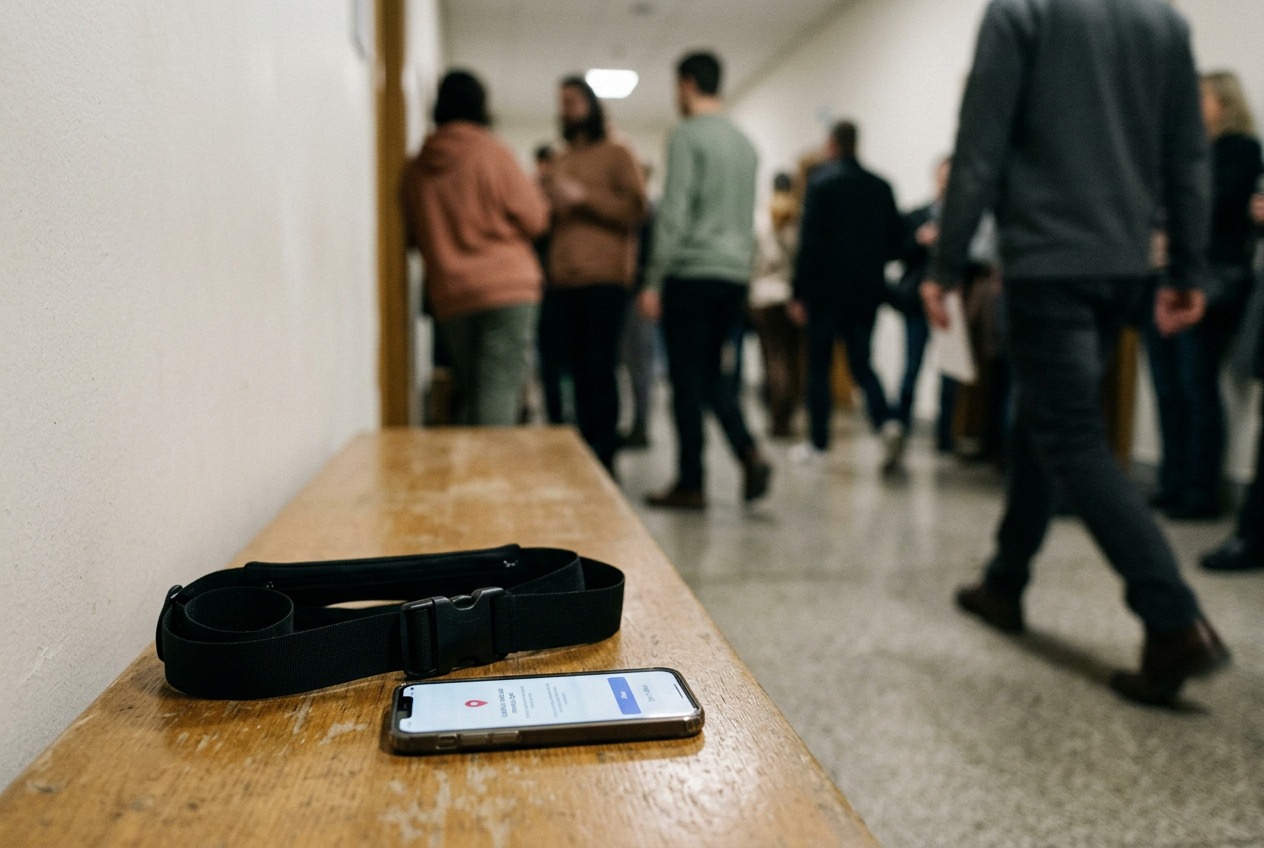
The black nylon running belt sat tight above my hips, its polyester webbing cinched until the plastic buckle stopped bouncing. I wore it on several evening walks while checking Grindr, Tinder, Bumble, and Hinge against a consenting friend’s phone. The belt held my keys. The apps carried the more revealing object: a moving account of where I had been.
I was not testing whether any app printed my street address. None did. I was testing whether an ordinary user, without specialist software or privileged access, could learn something from the way a profile’s distance or stated location changed over time.
The answer was yes, although the disclosure took different forms. Grindr’s proximity-first design made movement easiest to notice. Tinder and Bumble turned location into a less granular profile fact, then complicated it with paid travel controls and delayed refreshes. Hinge avoided a live distance readout in my test, but its manually chosen neighborhood created another problem: a location can remain visible long after it stops being useful or safe.
The setting looks like a fact about now. It is better understood as a trace of routine.
Distance is a relationship between two phones
A dating app’s distance is usually calculated from coordinates, meaning latitude and longitude supplied by a phone or a location chosen inside the app. The number presented to another user is relative. If I move and you stay still, it changes. If you move and I stay still, it also changes.
The interface generally does not explain which person caused the movement.
That ambiguity sounds protective. Repetition weakens it.
During the test, my friend stayed in one place while I took the running belt along a familiar route. The displayed information did not need to update continuously. A closer reading near one part of the route, followed by a farther reading later, was enough to establish direction. Repeating that sequence around the same period on another evening turned movement into a possible schedule.
This is inference, the act of deriving a new fact from information that looks less revealing on its own. A single distance may mean little. Several observations can suggest where somebody sleeps, works, exercises, or spends Friday night, particularly when a profile also supplies a job, neighborhood, school, gym photo, or recognizable window view.
Grindr deserves particular attention because proximity is central to how its grid works. Hiding the numerical distance, where the control is available and enabled, removes a useful measurement. It does not necessarily remove every location signal. Relative placement in a proximity-ordered grid can still indicate that somebody has moved closer or farther away, even if the interface withholds the number.
The black running belt became a crude clock. When I put it on, left home, and opened an app, my profile could begin to tell a story about the route. The app did not know the belt existed. Another person did not need to know either.
They only needed to notice a recurring change.
Delayed updates do not equal privacy
Location displays are not dependable live trackers. Phones limit background activity, users deny background permission, network connections drop, and apps refresh location according to rules they rarely describe in useful detail. Closing an app may leave an old distance or area on screen. Reopening it can produce a jump.
That delay can feel reassuring. It should not.
A stale location, meaning a location retained after the person has moved, still reveals that the account was recently associated with a place. The refresh can disclose something else: the moment an app became active enough to request or process a newer location. In my test, updates were not synchronized across the four services, and I would not treat their timing as a promise. The pattern depended on permission settings, whether the app had been reopened, and how each service represented location.
The danger is not that somebody can watch a flawless dot glide down a map. The danger is that imperfect updates can still answer practical questions. A profile appears closer on weekday mornings. It jumps across town after the person usually finishes work.
It stays associated with a nightlife district until the next app opening. None of those observations proves where the person is, but harassment rarely waits for laboratory certainty.
This is also why force-closing an app is an incomplete defense. The service may retain the last location it received, while the public profile can remain discoverable. Logging out, pausing discovery, or using an app’s incognito-style controls may reduce exposure more directly, though availability often depends on the service or subscription tier.
Travel mode sells a second location story
Tinder’s Passport and Bumble’s Travel Mode let users place themselves somewhere other than their current physical location. The commercial pitch is convenience: prepare for a trip, meet people before arrival, or browse elsewhere. The privacy effect is mixed.
A chosen city can obscure a physical position from other users, but travel features may also label the account as traveling or otherwise make the displacement legible. That label prevents one kind of deception while announcing another fact: this person has changed their location intentionally. If the profile later returns to its usual area, the sequence can expose travel timing even when no exact itinerary appears.
These controls also sit inside the paid architecture of dating apps. The platforms charge for the ability to manipulate visibility, location, or audience because scarcity makes those controls valuable. Privacy becomes tangled with promotion. The same subscription that lets somebody browse in another city may include boosts, additional filters, or visibility controls designed to produce more encounters, which means the product never stops nudging the user toward being seen.
Hinge worked differently in my evaluation. Its profile location was a manually selected area rather than a live distance number. That limits one kind of movement tracking, but manual locations decay. Somebody moves, travels, leaves a partner, changes jobs, or stops visiting the neighborhood attached to the profile, and the old label remains until they remember to edit it.
A safer interface would prompt users to review location periodically without demanding continuous GPS access.
The running belt came off after each walk. The profile did not shed its location history with the same clarity. There was no clean moment when the interface said: this information is now old, and here is who can still see it.
Reduce the useful signal
Start with the phone, not the dating app. Set location permission to allow access only while using the app rather than all the time. On systems that offer a precise-location switch, turn precision off and check whether the app still functions well enough for your needs. A broader location can make matches less convenient.
That inconvenience is part of the privacy trade.
Then inspect the profile as another person sees it. Hide numerical distance when the app offers that control. Remove employer names, exact school references, gym identifiers, building views, and captions that link a recurring activity to a narrow place. Each detail may seem harmless alone.
Together they can turn an approximate distance into a likely destination.
Treat travel tools as public profile changes, not private map controls. Check whether the app adds a travel badge, changes the displayed city, or leaves the previous location visible during a transition. If you are traveling away from an unsafe person, pausing discovery may be more useful than purchasing a feature that advertises movement in a different form.
Before opening an app at home, at work, or at a place you visit on a strict schedule, consider whether you need to be discoverable at that moment. Incognito or hidden modes can reduce who sees you, though some apps reserve them for paying users. Blocking known accounts helps, but it cannot account for alternate profiles. Changing a display name and photos may be warranted for someone facing targeted harassment, while recognizing that facial images and biographical details can reconnect the account.
Finally, revisit the settings after updates. Apps rename controls, move them behind menus, change subscription boundaries, and sometimes restore permissions through the operating system’s own prompts. Privacy is maintenance labor. The company designed the product to keep profiles circulating, so the burden of becoming less observable lands on the person with the most to lose.
No interface toggle can eliminate inference. Someone who knows your schedule, appearance, workplace, or social circle begins with context that a stranger lacks. Distance merely tests their theory. The practical goal is to make that test less precise, less repeatable, and more expensive in attention.
On my last walk, the black nylon belt still marked the same ordinary routine: buckle, keys, familiar route. I stopped opening the apps near either end of it. That did not make me invisible. It stopped handing the route a timestamp.
Questions people ask
Can someone find my exact address from a dating-app distance?
A single rounded distance usually does not reveal an exact address. Repeated readings from different places, combined with a known workplace, neighborhood, photo background, or routine, can narrow the possibilities. Hiding distance reduces useful information, but a proximity-sorted grid or visible area may still support inference.
Does turning off precise location stop dating apps from tracking distance?
It can reduce accuracy if your phone and the app support approximate location, but results vary. The app may still receive a broader area, retain an older location, or ask you to choose a city manually. Check the public profile from another account rather than assuming the phone setting changed what others see.
Is
Travel Mode safer than sharing my real location?
It can separate your displayed city from your physical location, which may help in some situations. It may also add a travel indicator or reveal a pattern when the account moves back. Treat it as a visibility feature with privacy side effects, not as a safety mode.
Does deleting or closing the app remove my location?
Closing the app may stop immediate updates, but the service can continue showing your profile with its last known distance or area. Deleting the app from a phone is also different from deleting the account. Use pause, hidden, or account-deletion controls inside the service, then verify what remains visible if you safely can.
One update a day
Today's story, in your inbox
One story each morning — no hype, no filler, no algorithm deciding for you.