YouTube’s AI Label Arrives After the Video Starts
YouTube asks creators to disclose realistic synthetic footage, then often places the notice inside an expanded description. On a television, that can mean reaching for the remote after the fake has already landed.
August 13, 2026 · 7 min read
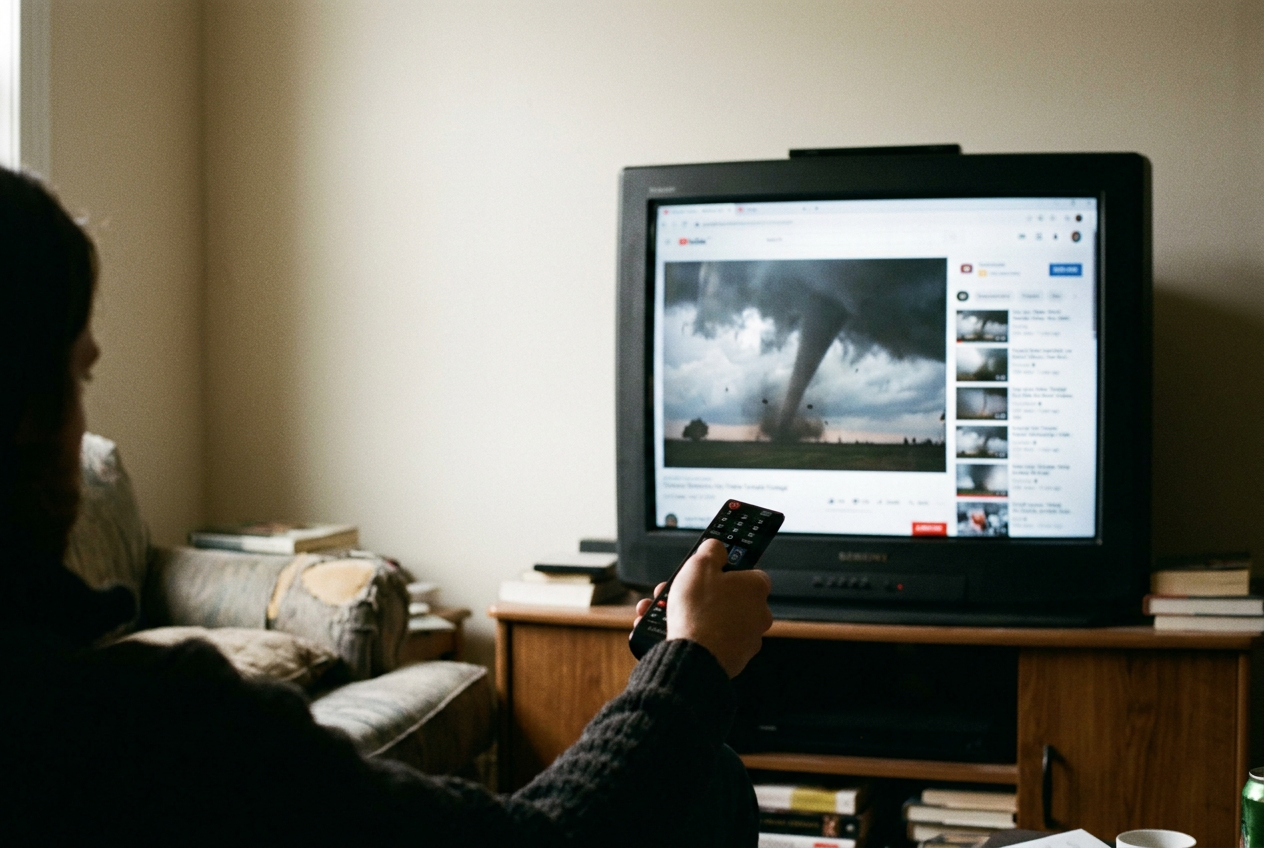
Take a realistic synthetic clip of a tornado moving toward a real town. This is one of YouTube’s own examples of content that needs disclosure: the town exists, the storm does not, and the footage could plausibly be mistaken for a record of an event.
The tornado is useful because it strips away the softer arguments about harmless filters and obvious animation. A viewer does not need to believe the clip forever for it to work. They need to believe it long enough to feel alarm, send it to a group chat, post an indignant reply or keep watching while YouTube queues another video.
YouTube has built a disclosure system for this. The upload workflow asks creators whether realistic content was meaningfully altered or synthetically generated, and an affirmative answer can produce an altered-content notice for viewers. The system exists. The problem is its timing.
The disclosure begins with the uploader
In YouTube Studio, the creator encounters an “Altered content” field while entering a video’s details. YouTube asks whether the upload makes a real person appear to say or do something they did not, changes footage of a real event or place, or generates a realistic scene that never occurred.
Our tornado belongs in the third category. The creator should choose “Yes.” YouTube says disclosure does not by itself limit a video’s audience or its eligibility to earn money, an important promise because a label that automatically punished reach would give creators a direct financial reason to avoid it.
This is a self-reporting mechanism first. YouTube can add a label when a creator fails to disclose, and its documentation warns that persistent refusal may bring penalties, including content removal or suspension from the YouTube Partner Program. Yet the routine path still depends on the person publishing the synthetic footage answering correctly.
Some disclosures arrive without that answer. YouTube can label content made with its own generative tools, while provenance systems may carry information from compatible editing software. Content Credentials are machine-readable records attached to media that can describe how it was created or changed. YouTube also says it may preserve disclosures supplied through C2PA, the technical standard behind those records.
None of this guarantees that the tornado receives a label. A creator can misunderstand the question, decide the scene is too obvious to count or decline to disclose. Detection and provenance can narrow that gap, but YouTube’s public documentation does not promise that every realistic synthetic upload will be identified.
What YouTube does not ask creators to label
The policy draws a line around realism and meaning. Minor color correction, beauty filters, background blur and production assistance such as generating a script outline generally do not require an altered-content disclosure. Clearly unrealistic animation and fantasy effects are also outside the central requirement.
That distinction is sensible. A warning on every cleaned-up microphone track would turn the label into wallpaper. It also creates judgment calls at the border, especially when a creator treats an altered voice, reconstructed setting or generated crowd as merely decorative while a viewer receives it as evidence.
The useful test is not whether artificial intelligence touched the file. It is whether the alteration could lead a reasonable viewer to mistake fiction for a real person, place, event or action. The tornado needs disclosure because the town supplies credibility to a storm that never arrived.
On desktop, the label sits below the first impression
YouTube says the altered or synthetic notice appears in the expanded description. On a desktop watch page, that means looking below the player and opening the description rather than relying on the title, thumbnail or first visible lines of metadata.
The sequence matters. The thumbnail has already presented the tornado as an image worth clicking. Autoplay may have started the footage. The title may make a factual claim.
Only after the viewer chooses to inspect the description does YouTube provide the contextual label under its “How this content was made” presentation.
This is disclosure by availability rather than disclosure by interruption. The information is on the page, which helps researchers, attentive viewers and anyone already suspicious of the clip. It does less for the person who clicked during a breaking-news cycle and has no reason to assume that the first five seconds require an audit.
To check a desktop video, pause it, expand the full description and look for YouTube’s creation or altered-content information. Do not treat the absence of a notice as proof that footage is authentic. It may mean the creator did not disclose, the platform did not add a label or the alteration falls outside YouTube’s stated threshold.
Mobile adds a layer of touch
On the YouTube mobile app, the viewer again needs the expanded description. Depending on the current app layout, that starts by tapping the title, description preview or associated expansion control beneath the player, then looking for the section explaining how the content was made.
The label has to compete with the mobile watch page’s more immediate invitations: comments, likes, sharing, channel information and the next recommended video. Those controls are built around action. Provenance asks for investigation.
Our tornado can therefore travel through the most common social route without carrying its caveat in the same visual unit. A viewer watches, taps Share and sends the link. The recipient gets a thumbnail and title in another app, not a guaranteed preview of the expanded YouTube description. The disclosure remains attached to the destination page, but it does not necessarily accompany the claim while the claim is moving.
The practical check is the same as on desktop: stop playback, open the full description and find the creation disclosure. On a small screen, this is not difficult. It is still additional labor assigned to the viewer rather than to the video’s opening frame.
Television is where the hierarchy becomes obvious
YouTube’s help material centers the expanded description as the ordinary home of the label, but it does not offer viewers a universal television walkthrough that accounts for every TV app, device and remote layout. The principle survives across those variations: open the video’s information or description panel and inspect the fuller metadata.
That sounds minor until the tornado is playing across a room. A television viewer must locate the remote, bring up the controls, move away from playback and open a secondary panel. Many people use TV YouTube as television, not as a document database. They expect the player to carry information that changes the meaning of the picture.
The disclosure’s weakness is clearest here because screen size does not produce prominence. The synthetic storm may fill a wall while the corrective context waits behind a menu. YouTube has satisfied the narrow requirement that a notice exists, but the interface has preserved the video’s uninterrupted authority.
If a TV interface does not make the description route clear, check the same video on a phone or computer. That workaround is useful for verification and poor as a default safety design. A platform operating the television app controls the player and could place the relevant notice directly on it.
The prominent-label exception proves the point
YouTube says it may show a more prominent label in the video player when altered or synthetic content concerns a sensitive topic, including health, news, elections or finance. In those cases, the notice can arrive closer to the footage rather than waiting exclusively in the expanded description.
A synthetic tornado presented as current news could qualify for that stronger treatment. “Could” carries the policy’s weight. The creator’s disclosure, YouTube’s classification and the video’s context all affect whether a viewer receives the visible warning rather than the buried one.
The exception reveals that YouTube understands placement changes comprehension. A label inside the player can meet the image while the image is being interpreted. A label in the description becomes optional reading after the headline, thumbnail, narration and opening edit have already established a frame.
YouTube’s design protects viewing flow. That flow supports retention, recommendations and advertising, while a mandatory opening warning would create friction for every labeled upload. The company’s documentation does not state that revenue determines placement, but the product consequence is plain: creators get a disclosure tool that usually does not stop the video, and YouTube keeps the watch session moving.
How to read the label without overreading it
An altered-content label tells you that realistic material was generated or meaningfully changed. It does not tell you that every claim in the video is false, identify every altered shot or explain which tool produced the result. It is a provenance clue, not a verdict.
The reverse matters more. No label does not mean no alteration. Check the uploader’s sourcing, compare the footage with reliable reporting, inspect whether the stated place and event appear elsewhere, and resist treating visual polish as authentication. For the tornado, the decisive evidence would come from weather agencies, local authorities and credible reporting, not from YouTube’s description alone.
The platform has made disclosure easiest to find for viewers who already know to doubt. Everyone else meets the synthetic image first. That is the mechanism beneath the label: responsibility enters during upload, context retreats into metadata, and belief forms in the player.
Questions people ask
Where is YouTube’s altered-content label?
YouTube generally places it in the expanded video description, often within a section explaining how the content was made. On desktop or mobile, open the full description. On a television app, open the video information or description panel; the precise remote path varies by device and app layout.
Does every AI-generated YouTube video need a label?
No. YouTube focuses on realistic, meaningful alterations that could mislead viewers about a real person, event or place. Obvious fantasy effects, routine color correction and production help such as generating an outline generally do not require the same disclosure.
Does no label mean the video is real?
No. The creator may not have disclosed the alteration, YouTube may not have identified it, or the platform may consider the edit outside its threshold. Treat the label as useful positive information, never as a complete authentication system.
Can
YouTube put the warning directly on the video?
Yes. YouTube says sensitive subjects such as health, news, elections and finance may receive a more prominent player label. Most disclosed content can still place the information in the expanded description, leaving viewers to look for it after playback has begun.
One update a day
Today's story, in your inbox
One story each morning — no hype, no filler, no algorithm deciding for you.