Your Mobile Concert Ticket Can Change After You Buy It
A ticket saved to Apple Wallet or Google Wallet is an updateable file, not a frozen receipt. The issuer can change fields and reach your lock screen without reopening its app.
September 5, 2026 · 8 min read
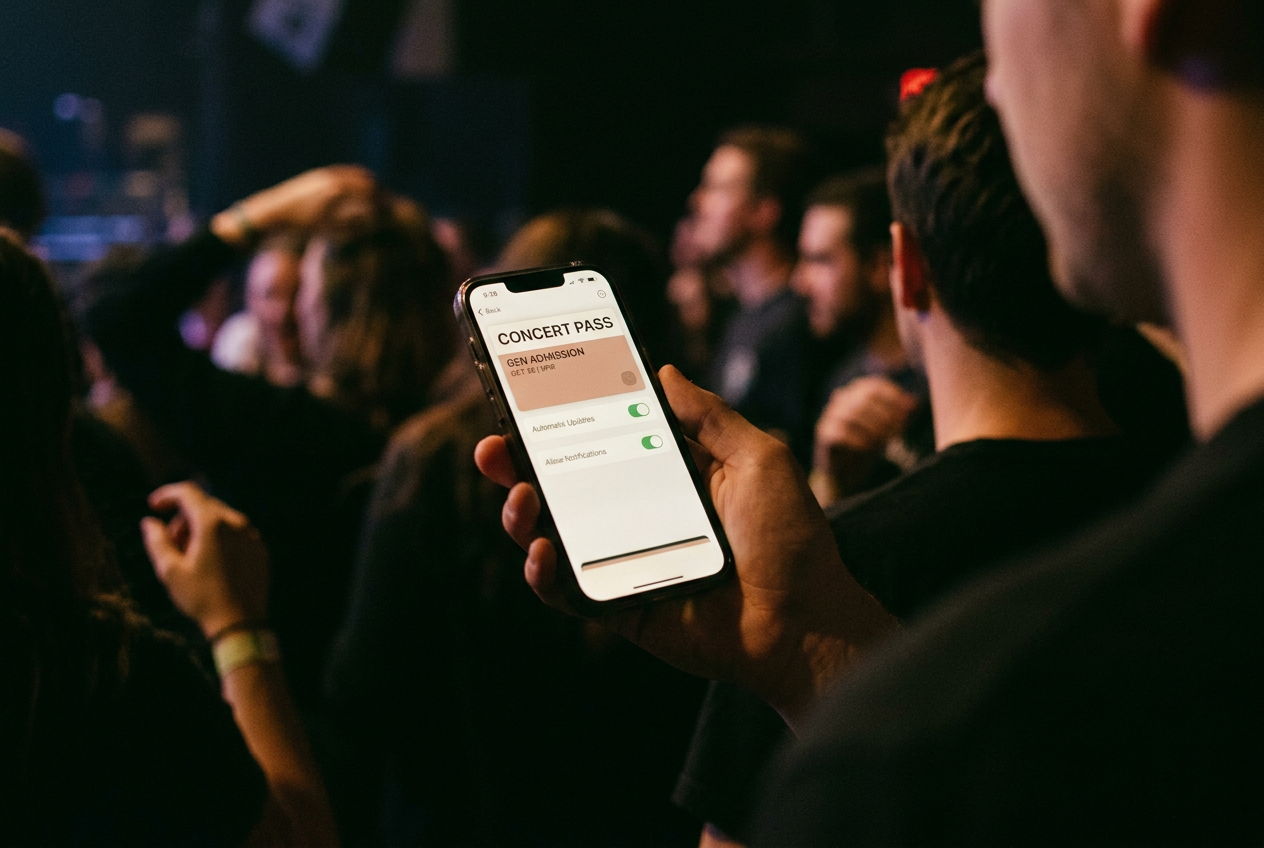
The ticket I inspected looked finished. It sat in Apple Wallet as a black event card with the artist, venue, date, section, row and seat above a barcode. The ticketing app was closed. Nothing on the front suggested an open line back to the company that issued it.
The reverse side told a different story. Under the pass details were two controls: Automatic Updates and Allow Notifications. Both were on. Below them sat links to ticket help and terms, along with information supplied by the issuer.
This was not a screenshot stored in a nicer folder. It was a small piece of updateable software.
That distinction matters because the mobile wallet has become the polite route around a decision many customers already made. You may have disabled the ticketing app’s alerts, denied it location access or deleted it after checkout. The pass can remain registered inside Wallet, where operational notices and marketing-shaped reminders can reach the lock screen through a channel that feels like part of the ticket itself.
The barcode is only one field
An Apple Wallet pass is a signed package, commonly called a PassKit pass, containing structured text, images, display rules and an admission credential. The signature lets the phone verify that an authorized issuer created it. Google Wallet uses a different technical model, but its event tickets are also issuer-controlled records rather than inert images.
On the black concert pass, the visible fields included the event title and seating assignment. The package could also carry material shown only after tapping the information button: venue instructions, support links, ticket terms and other text the issuer wants attached to the credential. Wallet decides where those fields fit, while the issuer supplies their contents.
The issuer can send a revised version after the pass has been added. That revision may correct a start time, change a gate, replace artwork, update instructions or mark a ticket as void. Depending on how the admission system works, it may also replace or refresh the barcode. Some tickets use credentials designed to change over time, which makes a screenshot unreliable and gives the issuer a legitimate reason to keep the pass live until entry.
This is the useful part. A canceled opening act or a moved entrance should not require thousands of people to discover a buried email while standing outside. The same machinery also means the rectangle sold as your proof of purchase remains editable by the seller, whose interests do not end once the payment clears.
Apple’s format allows an issuer to attach a change message to an updated field. Wallet can then show that message as a notification, subject to the phone’s settings, without the customer opening the ticketing app. Time-based reminders can also surface the pass near the event. The exact presentation varies by operating-system version and by how the issuer built the ticket, but the mechanism is straightforward: Wallet receives the prompt and displays the issuer’s revised pass.
The black ticket kept its front-of-house simplicity throughout the inspection. Tap it and you see admission details. Tap the small information control and you find the continuing relationship.
Adding a pass registers a route back to your phone
For an updateable Apple pass, the package can contain a web-service address and an authentication token, which is a secret value used to prove that the phone may request that particular pass. When the pass is added, the device can register with the issuer’s service using an identifier for that Wallet installation and a push token used for delivery.
The issuer does not need to send the whole revised ticket through the notification network. It sends a quiet push signal. Wallet then contacts the issuer’s web service, checks for a newer version and downloads it. The ticketing app does not have to be running.
It does not even have to remain installed.
That registration is narrower than handing over the contents of your phone. Adding the pass does not, by itself, give the promoter your photographs, contacts or general browsing history. The device identifier used for pass updates is not presented as your Apple ID, although the issuer can connect the pass to the customer record and order information it already holds.
Location deserves similar precision. A pass can include relevant places so the operating system knows where it may be useful, such as the venue. That does not mean the promoter receives a continuous map of the ticket holder’s movements. The pass format can tell Wallet where to surface a credential; it is not automatic proof that the phone reports every visit back to the issuer.
Separate app permissions, account data and tracking technologies may create other routes, but they should not be collapsed into one ominous claim.
Google Wallet places more of the ticket object under the issuer’s server-side control. An authorized issuer can revise eligible fields and add messages through Google’s Wallet tools, while Google controls how those changes appear on the device. Again, saving the ticket creates an ongoing object tied to an account and issuer, not a static copy of what appeared at checkout.
A service alert can carry a sales pitch
The policy problem begins where operations blur into promotion. A changed door time is part of delivering the event. A reminder to arrive early may be useful. A prompt to buy parking, merchandise or an upgrade uses the same privileged surface for another transaction.
The lock screen strips away much of the context that would make the difference obvious. The alert arrives under Wallet, attached to a credential you need, and carries more authority than an ordinary promotional push from an app you barely tolerate. Refusing it can feel risky because the customer cannot easily tell whether the next notification will be an upsell or a changed entry requirement.
This asymmetry works for the promoter, venue and ticketing provider. They retain a route to the buyer during the period when parking, premium access and on-site spending can still be sold. Apple and Google do not need to collect a fee from each alert for the design to benefit them; Wallet becomes harder to leave because it holds credentials that are more useful when connected to their update systems.
The ticket holder pays in attention and uncertainty. Turning off Allow Notifications is the cleaner intervention on the Apple pass I inspected because the pass can continue refreshing while its messages stop appearing as alerts. Turning off Automatic Updates is a heavier move. It may preserve the current display, but it can also prevent a corrected time or refreshed credential from arriving, which is a poor trade on an event ticket built around dynamic admission.
Removing the pass after the show cuts off this particular Wallet route. It does not delete the purchase account, erase transaction records or withdraw consent previously given elsewhere. The issuer may still have email, text-message or app channels under the choices and terms attached to those systems.
The settings bind the software, not the seller’s whole business
Several different kinds of rules sit underneath the black ticket, and they should not be treated as interchangeable.
The Wallet settings are technically binding on the device. If pass notifications are disabled, the operating system should not display those pass alerts. Platform specifications also constrain what an issuer can package, sign and update, while Apple or Google can reject behavior that violates their developer rules.
Those platform rules are contracts between companies. They are not a private right guaranteeing that a ticket holder can sue whenever an alert feels promotional. The ticket terms govern admission and may reserve broad powers to relocate seats, revise event information or revoke a credential. Privacy policies describe data practices and can attract regulatory scrutiny when companies disregard their promises, but the practical rights available to a customer depend on the jurisdiction and the facts.
Consent is similarly fragmented. Pressing Add to Apple Wallet or Save to Google Wallet authorizes storage of the pass within that system. It should not be read as unlimited permission for every entity around the concert to use every available marketing channel forever. Yet the design encourages that interpretation by bundling necessary credential maintenance with optional attention capture, then hiding the distinction behind two switches most customers never inspect.
Before relying on the black pass, I could see the issuer information, inspect its links and separate notifications from updates. I could not see a readable history of every field revision, which organization initiated each change or whether a message had been classified internally as service or marketing. Wallet makes the finished ticket legible. It does much less to make the continuing power over it legible.
Questions people ask
Can a concert ticket change after I save it to Apple Wallet?
Yes. If Automatic Updates is enabled and the issuer supports updates, Apple Wallet can fetch a revised pass containing changed event information, instructions, artwork or an admission credential. The ticketing app does not need to be open, and in many cases it does not need to remain installed.
Does a
Wallet ticket let the promoter track my location?
Not by itself. A pass may contain venue locations that help the phone surface it nearby, but that does not automatically send the promoter a continuous location history. The ticketing app, your account settings or other tracking systems may request or collect separate data.
Can
I stop ticket alerts without breaking the ticket?
On the Apple pass inspected here, Allow Notifications and Automatic Updates were separate controls. Disabling alerts while leaving updates on preserves the route for revised ticket data without putting pass messages on the lock screen. Settings vary, so the admission instructions still deserve a check before the event.
What happens if I turn off automatic ticket updates?
Wallet may keep displaying the version already stored on the phone, but later corrections or refreshed credentials may not arrive. If the event uses a changing barcode or another dynamic admission method, freezing the pass can create trouble at the door. A current pass with notifications muted is usually the less disruptive configuration.
One update a day
Today's story, in your inbox
One story each morning — no hype, no filler, no algorithm deciding for you.